This runbook walks through installing the Nebari LLM serving pack onto a
fresh Nebari cluster managed by ArgoCD. The validation that produced this
runbook ran on AWS (NIC + EKS); the steps are written so they should
work on any cloud where NIC supports a foundational deploy, but only AWS
has been exercised end-to-end so far. For local development against
kind see Local Development instead.
What “fresh” means here: every command in this document was run, in
order, against a brand-new Nebari Infrastructure Core (NIC) deployment
with no hand-applied patches, no leftover state, and no cluster-side
workarounds. If you need a manual step that is not in this document,
that is a bug in this document - please open an issue.
This runbook starts from a NIC-foundational Nebari cluster.
Requires NIC v0.12.0 or newer. That release is the floor for
everything below: it ships the values/<app>/overlays/ seam that
section 6 uses (nebari-infrastructure-core#499) together
with ArgoCD 3.4.4, which is the first version that expands the
overlay glob at all. Earlier releases also lack the nebari-apps
ArgoCD project that section 8 installs the pack into (v0.10.0) and
the automatic GPU operator install that section 3 relies on
(v0.9.0). Check with nic version. On an older cluster, upgrade NIC
before starting - the alternative is a set of hand-edits that the
next nic deploy --regen-apps silently reverts.
NIC ships, out of the box, the components below; if any are missing or
in a different namespace on your cluster, adjust the commands
accordingly.
Component
Namespace
Purpose
ArgoCD
argocd
GitOps controller. New apps in this runbook get installed via ArgoCD Application manifests committed to your cluster-config repo.
cert-manager
cert-manager
Issues TLS certs for the gateway and for pack-managed Certificates.
Envoy Gateway
envoy-gateway-system
Gateway API data plane. Will be reconfigured in section 6 to wire up the AI Gateway extension manager.
Keycloak
keycloak
OIDC provider. Provides the groups claim to JWT-protected endpoints. The admin Secret is keycloak-admin-credentials.
Longhorn
longhorn-system
Default StorageClass longhorn (RWX). Used for the model PVC.
AWS Load Balancer Controller
kube-system
Provisions NLBs for the Gateway resources (AWS only).
Nebari Operator
nebari-operator-system
Provisions NebariApps. NIC pre-wires its KEYCLOAK_* and TLS_CLUSTER_ISSUER_NAME env vars, so you do not need to set them by hand.
Nebari landing page
nebari-system
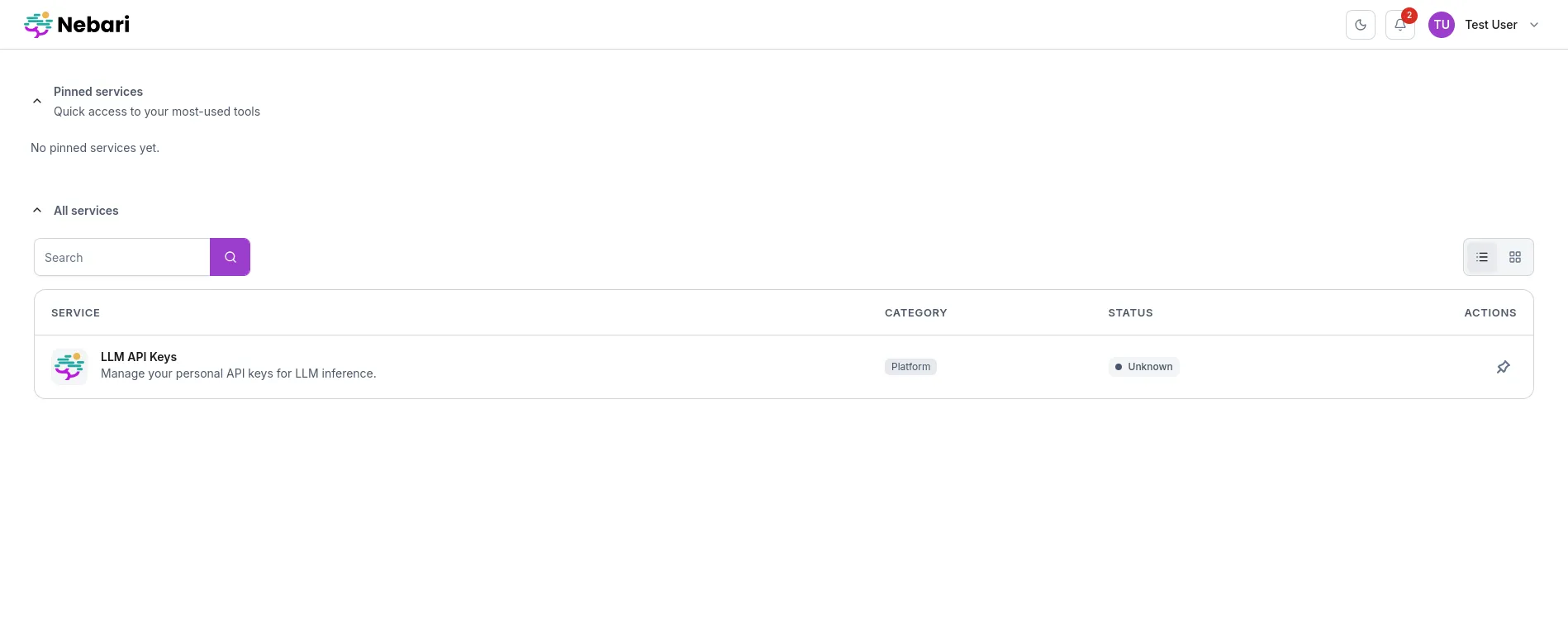
The tile-based home page; the pack’s key-manager UI is exposed as a NebariApp tile.
OpenTelemetry Collector
monitoring
Telemetry sink. Optional.
In addition you need:
At least one GPU node in the cluster, from a node group marked
gpu: true in your NIC config. AWS users: a g6e.xlarge (1x L40S,
48 GB VRAM) or larger node from a node group running the AL2023
NVIDIA AMI is the validated baseline. That gpu: true flag is what
makes NIC install the NVIDIA GPU Operator and taint the node
nvidia.com/gpu=true:NoSchedule; see section 3.
NVIDIA driver 580 or later on every GPU node. As of llm-d
v0.7.0 the serving images (llm-d-cuda:v0.7.0) ship the CUDA 13.0.2
runtime, which requires driver branch 580+. Nodes on an older driver
must be upgraded before deploying this pack, or the vLLM container
will fail to start with a CUDA driver/runtime version mismatch.
Confirm with nvidia-smi on the node (or
kubectl exec into the GPU operator’s driver/validator pod): the
“Driver Version” must be >= 580.
DNS zone control over <baseDomain> with a wildcard CNAME
pointing every *.<baseDomain> at the Gateway’s load balancer.
HTTP-01 ACME challenges will run against llm.<baseDomain> and
llm-internal.<baseDomain>, so both must resolve before you start.
A Cluster Issuer that cert-manager can use for HTTP-01. NIC
ships one; the validated install used letsencrypt-issuer
(the chart’s default letsencrypt-production is a different name -
you will set platform.tls.clusterIssuer to match in section 8).
A cluster-config git repo that ArgoCD’s AppProject is configured
to read from. New Application manifests in this runbook will be
committed there, under a path of your own choosing (shown throughout
as clusters/<name>/pack-apps/) - not NIC’s foundational apps/
directory, which NIC regenerates.
Note on existing workarounds: if you are coming from the v0
install path on an older cluster, the runbook deliberately does not
document the keyManager.image.tag Argo override or the manual NLB
security-group ingress rules. Those were workarounds for the
llmd-test1 reference cluster and do not apply on a fresh
NIC-foundational deploy. If you find yourself needing one, that is
a regression - open an issue.
Expected: a context name that matches your fresh cluster, and at least
one node whose instance-type is in the g5/g6/g6e family (or your cloud’s
GPU equivalent). If the GPU node does not appear, your node group is
not provisioned yet - fix that before continuing.
2.2 Confirm ArgoCD is healthy and the AppProject exists
Expected: every ArgoCD pod is Ready, and both the foundational
and nebari-apps AppProjects are present.
Every Application this runbook adds uses project: nebari-apps, not
foundational. Since NIC v0.10.0 the foundational project derives
its allowed sourceRepos and destinations from NIC’s own app
templates, so an Application pointing at a pack chart is refused there;
nebari-apps is the project NIC provides for exactly this
(argocd-project-scoping). If you are migrating a pack that
predates this, move it:
Terminal window
kubectlpatchapplication<pack>-nargocd--typemerge\
-p'{"spec":{"project":"nebari-apps"}}'
If nebari-apps is missing, your NIC predates v0.10.0 - see the
version requirement in section 1.
Expected: every hostname resolves to $GATEWAY_LB (or the LB’s IP). If
any do not, check your wildcard CNAME and DNS propagation; do not
proceed - HTTP-01 challenges will fail and the install will stall.
Expected: every Certificate is READY=True, and the curl returns an
HTTP status (any 4xx is fine - it just means no route matches yet, but
TLS handshake worked). If you see “connection reset by peer”, the
gateway has no usable cert. A Certificate stuck Ready=False here used
to be the common fresh-install failure; NIC fixed the underlying
HTTP-01 challenge race in v0.4.0, so on a supported version this should
pass. If it does not, check
kubectl describe certificate -n envoy-gateway-system nebari-gateway-cert
for the ACME order’s actual error before proceeding - nothing later in
this runbook works without a usable cert.
2.6 Confirm Keycloak is reachable internally and externally
Expected: the service exists in the keycloak namespace; the external
URL returns HTTP 200 with a JSON body. If the external URL fails, the
Gateway/cert chain is not yet wired up - go back to step 2.5.
2.7 Confirm the nebari-operator has the expected Keycloak env vars
If any are missing, NIC’s nebari-operator deployment is mis-configured.
Fix that on the NIC side before continuing - the pack relies on the
operator being able to mint Keycloak clients.
The pack’s model pods request nvidia.com/gpu from Kubernetes, which
means something has to advertise that resource on the node. On AWS,
NIC does it for you.
On AWS this section is a verification step, not an install step.
Since NIC v0.9.0, any node group marked gpu: true in your NIC
config makes NIC install the NVIDIA GPU Operator itself, via Helm,
during nic deploy
(nebari-infrastructure-core#348). It installs into the
gpu-operator namespace with driver and toolkit disabled,
because the AL2023 NVIDIA AMI already ships both - the operator adds
only the device plugin. Nothing to commit; skip to 3.2. Other
providers still install it themselves (3.1).
Because NIC disables the driver, the AMI’s driver version is the one
you get - the operator will not upgrade it for you. That makes the
580+ requirement below an AMI requirement.
Driver version (llm-d v0.7.0): the AMI’s pre-installed driver must
be branch 580 or later, because the llm-d-cuda:v0.7.0 serving images
use the CUDA 13.0.2 runtime. On AWS the fix for an older driver is a
newer AMI: NIC installs the operator with driver.enabled: false and
exposes no config surface to change that, so the operator will not
install a driver for you. If you are running the 3.1 install yourself,
you have the second option of setting driver.enabled: true pinned to
a 580+ branch. Verify either way with nvidia-smi on the node, or
from the operator’s driver/validator pod logs.
Skip this subsection on a managed node group that ships a vendor GPU
AMI (e.g. EKS + AL2023 NVIDIA AMI). It applies when the cluster is
k3s on hosts you manage yourself (on-prem, bare-metal, or a k3s
test rig). Validated on Ubuntu 24.04 with an A10G; the same applies to
the on-prem RTX A5000 (both are GA102, same -server-open driver
branch).
On k3s two things differ from the managed-AMI path, and both must be
handled before continuing to 3.1:
1. Disable the operator’s toolkit as well as its driver, and install
both on the host. The operator’s nvidia-container-toolkit-daemonset
assumes a vanilla-containerd layout and overwrites k3s’s generated
config.toml (replacing the full CRI config with a stub), which knocks
the node NotReady. Setting toolkit.env CONTAINERD_CONFIG=... does
not help - it triggers the same clobber. Use this values block in
the section 3.1 Application instead of the driver.enabled: false-only
one:
values: |
# Driver and toolkit are installed on the host (apt). The operator
# only runs NFD + device-plugin + dcgm to expose nvidia.com/gpu.
If a previous operator-managed toolkit install left a binary behind,
remove it (sudo rm -rf /usr/local/nvidia/toolkit) so k3s points at
/usr/bin/nvidia-container-runtime on restart.
2. Make nvidia the default containerd runtime. The pack’s model
pods are created with no runtimeClassName, so on k3s (whose
default runtime is runc) the GPU libraries are never injected and vLLM
fails with Failed to infer device type. k3s auto-detects a
host-installed nvidia-container-runtime and writes an nvidia
RuntimeClass into its generated config, but does not make it the
default. Pin it with a single self-contained/var/lib/rancher/k3s/agent/etc/containerd/config.toml.tmpl, then
sudo systemctl restart k3s:
version = 2
[plugins."io.containerd.internal.v1.opt"]
path = "/var/lib/rancher/k3s/agent/containerd"
[plugins."io.containerd.grpc.v1.cri"]
stream_server_address = "127.0.0.1"
stream_server_port = "10010"
enable_selinux = false
enable_unprivileged_ports = true
enable_unprivileged_icmp = true
sandbox_image = "rancher/mirrored-pause:3.6"
[plugins."io.containerd.grpc.v1.cri".containerd]
snapshotter = "overlayfs"
disable_snapshot_annotations = true
default_runtime_name = "nvidia"
[plugins."io.containerd.grpc.v1.cri".cni]
# NOTE: this data-dir hash is k3s-version-specific. Copy the bin_dir
# value from the live /var/lib/rancher/k3s/agent/etc/containerd/config.toml
Do not try to set only default_runtime_name by re-opening the
[plugins."io.containerd.grpc.v1.cri".containerd] table on top of
k3s’s {{ template "base" . }} include. Reopening an existing table
produces a duplicated tables TOML error that crashes containerd and
takes the node NotReady. Appending a brand-new sub-table is legal;
reopening an existing one is not. Use a single static template like
the one above. Validate it with
python3 -c "import tomllib; tomllib.load(open('config.toml.tmpl','rb'))"before restarting k3s.
Skip this on AWS. NIC already installed the operator (see the
note at the top of this section). Adding a second GPU Operator
release alongside NIC’s will fight over the same DaemonSets.
NIC’s automatic install is AWS-only. On other providers, commit this
file to your cluster-config repo - but not into NIC’s foundational
apps/ directory. NIC’s own guidance is to keep non-foundational
Applications out of that path (argocd-project-scoping), and
nic deploy --regen-apps rewrites everything it owns there. Use a path
of your own that ArgoCD reads (e.g.
clusters/<name>/pack-apps/nvidia-gpu-operator.yaml), or apply it once
with kubectl apply -f - the Application’s own source is the upstream
chart, so it is self-sustaining after that:
apiVersion: argoproj.io/v1alpha1
kind: Application
metadata:
name: nvidia-gpu-operator
namespace: argocd
labels:
app.kubernetes.io/part-of: nebari-llm-pack
annotations:
argocd.argoproj.io/sync-wave: "2"
finalizers:
- resources-finalizer.argocd.argoproj.io
spec:
project: nebari-apps
source:
chart: gpu-operator
repoURL: https://helm.ngc.nvidia.com/nvidia
targetRevision: v25.10.1
helm:
releaseName: nvidia-gpu-operator
values: |
# AL2023 NVIDIA AMI ships the kernel driver; only toolkit +
# device plugin are needed.
driver:
enabled: false
destination:
server: https://kubernetes.default.svc
namespace: nvidia-gpu-operator
syncPolicy:
automated:
prune: true
selfHeal: true
allowEmpty: false
syncOptions:
- CreateNamespace=true
- ServerSideApply=true
retry:
limit: 5
backoff:
duration: 5s
factor: 2
maxDuration: 3m
Which values block to use. The distinction is what your GPU node’s AMI
already ships. The manifest above disables only the driver
(driver.enabled: false), so the operator still installs the container
toolkit and device plugin: use it when the AMI ships the NVIDIA driver but
not the toolkit, which is the case for NIC’s AL2023 NVIDIA AMI. If your AMI
ships BOTH the driver and the toolkit, use the values in
examples/nvidia-gpu-operator.yaml
instead, which also sets toolkit.enabled: false so the operator adds only
the device plugin. If your nodes ship neither, set driver.enabled: true so
the operator installs the driver as well.
git push the file, then make ArgoCD aware of it. Because it lives
outside NIC’s apps/ directory, nebari-root will not pick it up: either
apply it once with kubectl apply -f, or add it to an app-of-apps of
your own that watches your pack-apps/ path.
Why this exact chart version: versions before v25.10.x of the
gpu-operator chart render spec.validator.plugin: null in the
auto-generated ClusterPolicy/cluster-policy, which the operator’s
own admission webhook rejects with Invalid value: "null": spec.validator.plugin in body must be of type object. v25.10.1 is
the lowest version validated against this runbook.
That set is from the 3.1 install. On a NIC-installed cluster expect two
differences: there is nonvidia-container-toolkit-daemonset,
because NIC disables the toolkit, and the node-feature-discovery pods
are named gpu-operator-node-feature-discovery-* after NIC’s release
name rather than nvidia-gpu-operator-*. The pod that actually matters
either way is nvidia-device-plugin-daemonset, which is what makes
3.3 pass.
If you installed via 3.1, the ArgoCD Application may report
OutOfSync even when everything is working. This is a known artifact
of the gpu-operator chart’s PreSync/PostSync hooks: hook objects are
created and pruned during each sync, leaving ArgoCD’s last-observed
manifest set out of sync with the live state. The operative signal is
the pod set above.
# NIC taints gpu: true node groups nvidia.com/gpu=true:NoSchedule, and
# nothing injects a matching toleration on EKS, so a bare GPU pod stays
# Pending. The pack's own model pods get this toleration from the
# operator; a hand-written test pod has to carry it.
tolerations:
- key: nvidia.com/gpu
operator: Exists
effect: NoSchedule
containers:
- name: gpu-smoke
image: nvcr.io/nvidia/cuda:12.4.0-base-ubi9
command: ["nvidia-smi", "-L"]
resources:
limits:
nvidia.com/gpu: "1"
EOF
sleep15# let the pod schedule and run
kubectllogsgpu-smoke
kubectldeletepodgpu-smoke
Expected: kubectl logs gpu-smoke prints something like
GPU 0: NVIDIA L40S (UUID: GPU-...). If the pod sits Pending, read the
reason off kubectl describe pod gpu-smoke before anything else: a
node(s) had untolerated taint message means the toleration above is
missing or mistyped, whereas Insufficient nvidia.com/gpu means the
device plugin is not reporting GPUs to the kubelet. For the latter,
check kubectl describe node <gpu-node> for nvidia.com/gpu under
Capacity and Allocatable, and the device-plugin pod’s logs for
errors.
k3s / host-managed runtime (section 3.0): if the pod runs but
the logs show exec: "nvidia-smi": executable file not found in $PATH (or Failed to infer device type), the pod was scheduled on
the default runc runtime, which does not inject the NVIDIA
libraries/binaries. Either make nvidia the default runtime (as in
the section 3.0 config.toml.tmpl), or add runtimeClassName: nvidia to the pod spec (spec.runtimeClassName: nvidia, a sibling
of restartPolicy). The GPU Operator’s device plugin reports
nvidia.com/gpu regardless of which runtime is default, so a pod
can schedule onto the GPU yet still miss the NVIDIA injection.
The pack’s per-model routing needs three upstream pieces on the cluster
before it will reconcile any LLMModel:
Envoy AI Gateway CRDs (AIGatewayRoute, AIServiceBackend,
BackendSecurityPolicy, GatewayConfig, MCPRoute) - the
nebari-llm-operator creates these per LLMModel.
the llm-d End-Point Picker (EPP) container looks up
InferencePool at startup and crashloops without it. No controller is
needed; the EPP is bundled inside the LLMModel pod the operator
creates.
The Envoy AI Gateway controller, which does two jobs the pack
relies on:
XDS extension server. Envoy Gateway calls it during XDS
translation (over a gRPC service on port 1063) to insert the
ext_proc HTTP filter into the listener filter chain for routes
that reference an InferencePool or AIGatewayRoute. Without
this, per-model routing falls back to direct_response: 500.
Pod-mutating admission webhook. When Envoy Gateway creates the
Envoy proxy pod (the data plane), the webhook patches in an
ai-gateway-extproc native-sidecar container. It only injects when
there is at least one AIGatewayRoute bound to the gateway, so the
sidecar appears on the next proxy-pod recreation after the first
LLMModel reconciles in section 9.
That creates three ArgoCD Applications: envoy-ai-gateway-crds and
gateway-api-inference-extension at sync wave 3, and the
envoy-ai-gateway controller at wave 4. If you would rather keep it in
git, commit
examples/ai-gateway-prereqs.yaml
to a path of your own (e.g. clusters/<name>/pack-apps/) and let an
app-of-apps of yours adopt it. Do not commit it into NIC’s foundational
apps/ directory - that path belongs to NIC and
nic deploy --regen-apps rewrites what it owns there.
Apply this before the section 6 overlay. The overlay points
envoy-gateway’s extensionManager at the controller’s Service, so
bringing the controller up first avoids a spell of “connection
refused” during XDS translation. Doing it in the other order is
recoverable, it just looks alarming in the logs.
The two CRD Applications set prune: false deliberately. Pruning
a CRD deletes every custom resource of that kind cluster-wide, so an
errant resync must not be able to remove every AIGatewayRoute and
InferencePool on the cluster. The trade is that a CRD dropped
upstream is left behind on a version bump. Applying the three
Applications independently also means they sync concurrently, so the
controller may briefly crashloop until its CRDs land; it recovers on
its own. If you want the waves respected, adopt the file through an
app-of-apps rather than applying it directly - sync waves only mean
something to a parent.
Port 1063 is the XDS extension server (envoy-gateway’s
extensionManager.service.fqdn will reference this). Port 9443 is the
admission webhook. 9090 is metrics.
Envoy Gateway needs three configuration additions that NIC’s default
install does not include:
extensionApis.enableBackend: true so it accepts
inference.networking.k8s.io/InferencePool as a valid HTTPRoute
backend kind.
A full extensionManager block that points at the AI Gateway
controller’s XDS extension server (port 1063) and asks Envoy
Gateway to call into it on every listener / route / cluster /
secret translation step.
backendResources enumerating which non-builtin backend kinds the
extension manager handles, so Envoy Gateway does not reject routes
that reference them.
NIC owns values/envoy-gateway/base.yaml and rewrites it on every
nic deploy --regen-apps. It never writes to or deletes from
values/envoy-gateway/overlays/, so a file you put there is
permanent.
Note what is not in it. Helm deep-merges maps, so
config.envoyGateway.gateway.controllerName from base.yaml survives
even though the overlay also writes under config.envoyGateway. The
deployment resources, replica count and Service type stay as NIC set
them. You do not restate them, and you do not risk dropping one by
transcribing it wrongly.
The 20- prefix matters: overlays apply in lexical filename order and
the last file wins on a key collision. Keeping this pack’s overlay at
20- leaves 30- and later free for operator overrides.
Do not hand-edit the Application instead. NIC regenerates
apps/*.yaml from its own templates, so values edited directly into
spec.sources[0].helm are discarded by the next
nic deploy --regen-apps, taking the AI Gateway wiring with them.
The failure is quiet: routes start returning 404 or 500 again with
nothing in the ArgoCD UI to explain it. The overlay directory is the
only override point NIC promises not to touch.
ArgoCD picks the commit up on its next sync, with no nic run needed,
and updates the envoy-gateway-config ConfigMap. The running
controller process does not reload that ConfigMap until the deployment
restarts, which is 6.2.
The overlays/*.yaml glob is expanded by ArgoCD’s repo-server, and
only on ArgoCD 3.4 or later. On an older repo-server the glob is
discarded silently: the overlay has no effect, the Application still
reports Synced/Healthy, and nothing is logged at the default level.
NIC has shipped ArgoCD 3.4.4 since v0.12.0, so this should pass - but
verify it rather than assume, because the failure looks like nothing at
all:
|grep"resolved value files"|grepenvoy-gateway|tail-1
Expected: a line naming two paths, values/envoy-gateway/base.yaml
followed by your overlays/20-ai-gateway.yaml. That proves both that
the repo-server is 3.4+ (the log statement does not exist in 3.3.x) and
that the glob matched your file.
Only base.yaml on the line means the glob matched nothing - check the
filename and that you pushed to the branch NIC deploys from. No output
at all is inconclusive rather than a failure: the line is emitted only
when the repo-server actually renders the app, so a manifest-cache hit,
a restarted pod, or a second replica that did not serve the render all
produce silence. Force a render and re-check:
If you upgraded ArgoCD in place without running nic deploy --regen-apps, a committed overlay can stay inert for up to 24 hours:
the manifest cache key does not include the ArgoCD version, and the
repo cache defaults to 24h. The hard refresh above clears it.
Expected: rollout completes; new envoy-gateway pod becomes Ready
within ~30 seconds. Existing HTTPRoutes (for argocd, keycloak, the
landing page) keep serving from the existing Envoy proxy pod
throughout - the controller restart only blocks new XDS pushes.
Expected: the rendered config shows the extensionManager block with
hostname: ai-gateway-controller.envoy-ai-gateway-system...,
port: 1063, and backendResources listing InferencePool.
The rendered envoy-gateway.yaml sorts top-level keys
alphabetically, so hostname/port land ~20 lines below the
extensionManager: header. grep -A 5 truncates the block before
them - use -A 25 and anchor on ^extensionManager: so you match
the block header, not the inline backendResources reference.
Note on the Envoy proxy pod. You do not need to recreate the
existing Envoy proxy pod (the data plane) at this point. The AI
Gateway pod-mutator only injects the extproc sidecar when at least
one AIGatewayRoute is bound to the gateway. The sidecar will
appear automatically the next time Envoy Gateway recreates the
proxy pod after the first LLMModel reconciles in section 9. If
you want to verify the injection sooner, you can apply a placeholder
AIGatewayRoute and delete the proxy pod, but it is not required.
Beta documentation gate: This section covers the auth setup that the pack requires before it will reconcile any LLMModel. Both the Keycloak group (7.2) and the operator environment check (7.1) must pass before proceeding to section 8.
The pack expects two things on the Keycloak side:
A group whose name matches whatever you put in
LLMModel.spec.access.groups. This runbook uses llm.
The nebari-operator deployment carrying the right KEYCLOAK_*
environment so it can mint a Keycloak client for the key-manager
NebariApp. NIC pre-wires this on a foundational deploy; we just
verify.
The Keycloak admin Secret on a NIC deploy is keycloak-admin-credentials
in the keycloak namespace. Note its key names: admin-username and
admin-password (NOT username/password). Fetch a token via the
admin-cli client, then call the realm admin API:
Expected: a JSON array with one entry having "name": "llm" and a
non-empty id.
Why this is a manual step. The pack does not create groups; it
only references them. Letting the operator manage groups would
couple it tightly to a single IdP’s API surface, working against the
(still-pending) provider-agnostic OIDC discovery (#66). Group
creation belongs in your IdP-of-record’s source of truth, whether
that is the Keycloak admin UI, an IaC layer, or this curl.
The pack itself ships as a single Helm chart, published to the
quay.io/nebari/charts OCI registry, that reconciles three things
into the cluster:
The pack operator (nebari-llm-serving-operator) which watches
LLMModel CRs and renders the corresponding Deployment, Service,
HTTPRoutes, AIGatewayRoute, AIServiceBackend, InferencePool +
InferenceModel, and (with manageSharedListeners: true) two
Gateway listeners + a shared TLS Certificate.
The key-manager (nebari-llm-serving-key-manager) which is the
user-facing UI for minting API keys, plus the back-end that
validates keys on inbound traffic to the external gateway.
A NebariApp for the key-manager which the NIC nebari-operator
reconciles into a Keycloak OIDC client + an HTTPRoute on the public
Gateway + a tile on the landing page.
This is sync-wave 7: after cert-manager, envoy-gateway, AI Gateway
controller, inference-extension CRDs, GPU operator, Keycloak, the NIC
nebari-operator, and the landing page have all converged.
The platform.gateway.external and platform.gateway.internal blocks
both point at nebari-gateway because this runbook uses a single
shared Gateway. With manageSharedListeners: true the operator adds
two new listeners (llm-https for external, llm-internal-https for
internal) onto NIC’s existing nebari-gateway, each pinned to a
different hostname (llm.<baseDomain> and
llm-internal.<baseDomain>) and a different SecurityPolicy
(API-key-protected on external, JWT-protected on internal).
If you want to split traffic across two physical Gateways instead
(e.g. one with a public LB, one with an internal-only LB), point
platform.gateway.internal at a different Gateway resource.
git push, then apply it with kubectl apply -f (or through your own
app-of-apps) - it lives outside NIC’s apps/ directory, so nebari-root
will not adopt it.
The key-manager NebariApp should be reconciled by the NIC
nebari-operator, which means there is also an HTTPRoute for the
key-manager UI on the public Gateway plus a Keycloak client and a
landing-page tile:
The first three listeners come from NIC; the bottom two
(llm-https, llm-internal-https) are added by the pack operator.
A shared TLS Certificate covering both hostnames lands in the pack
namespace:
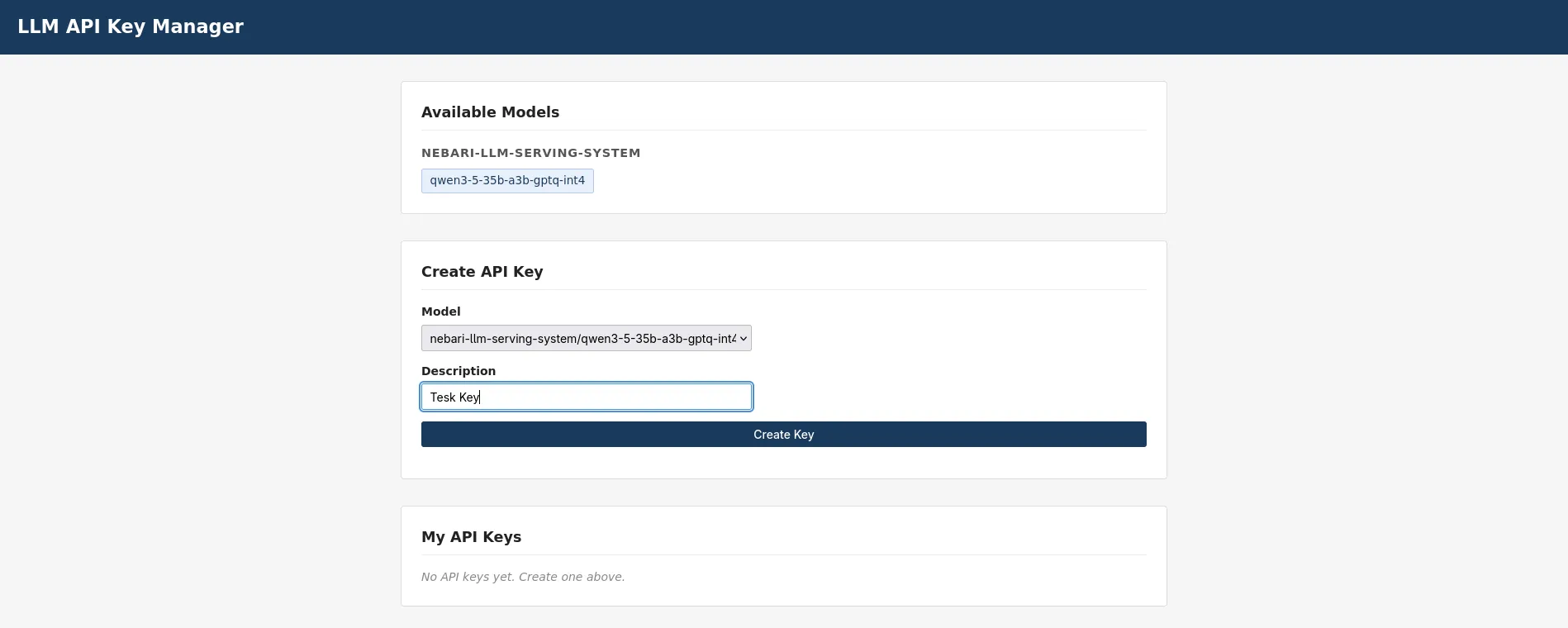
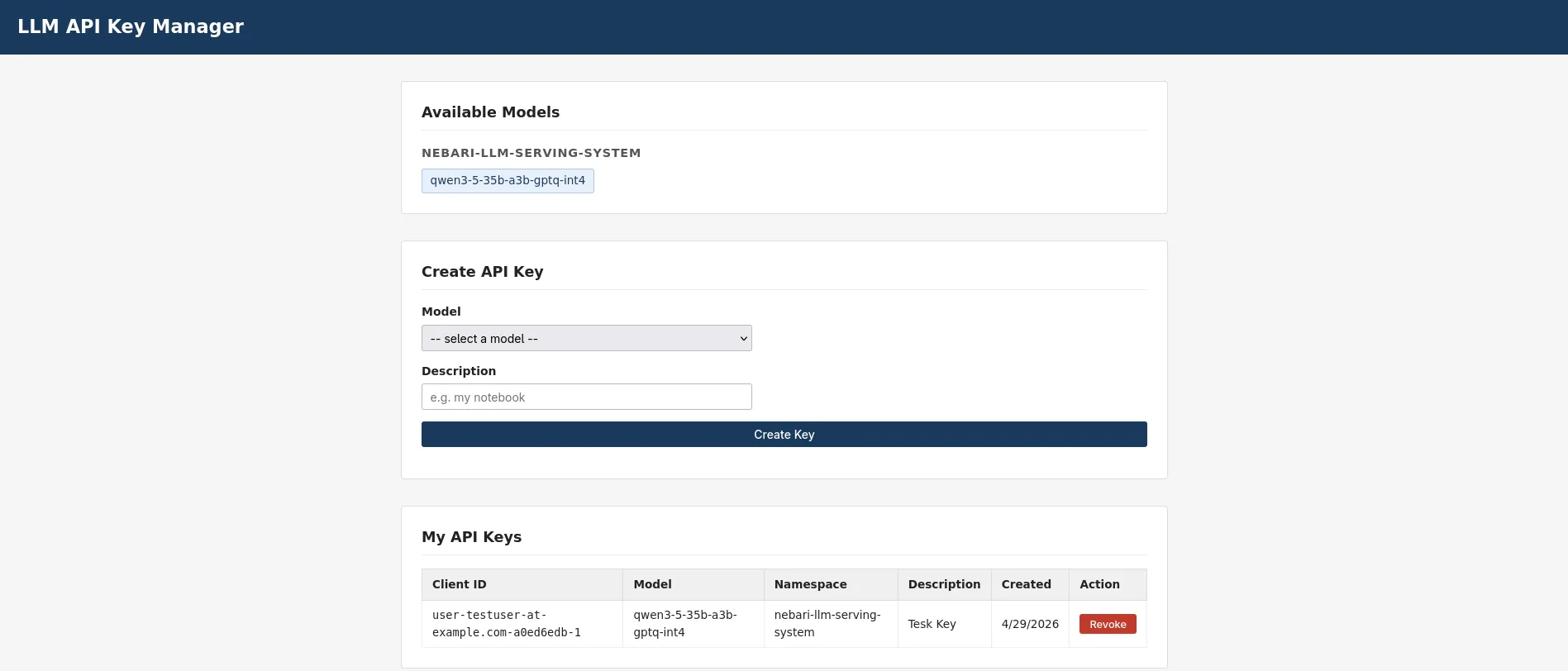
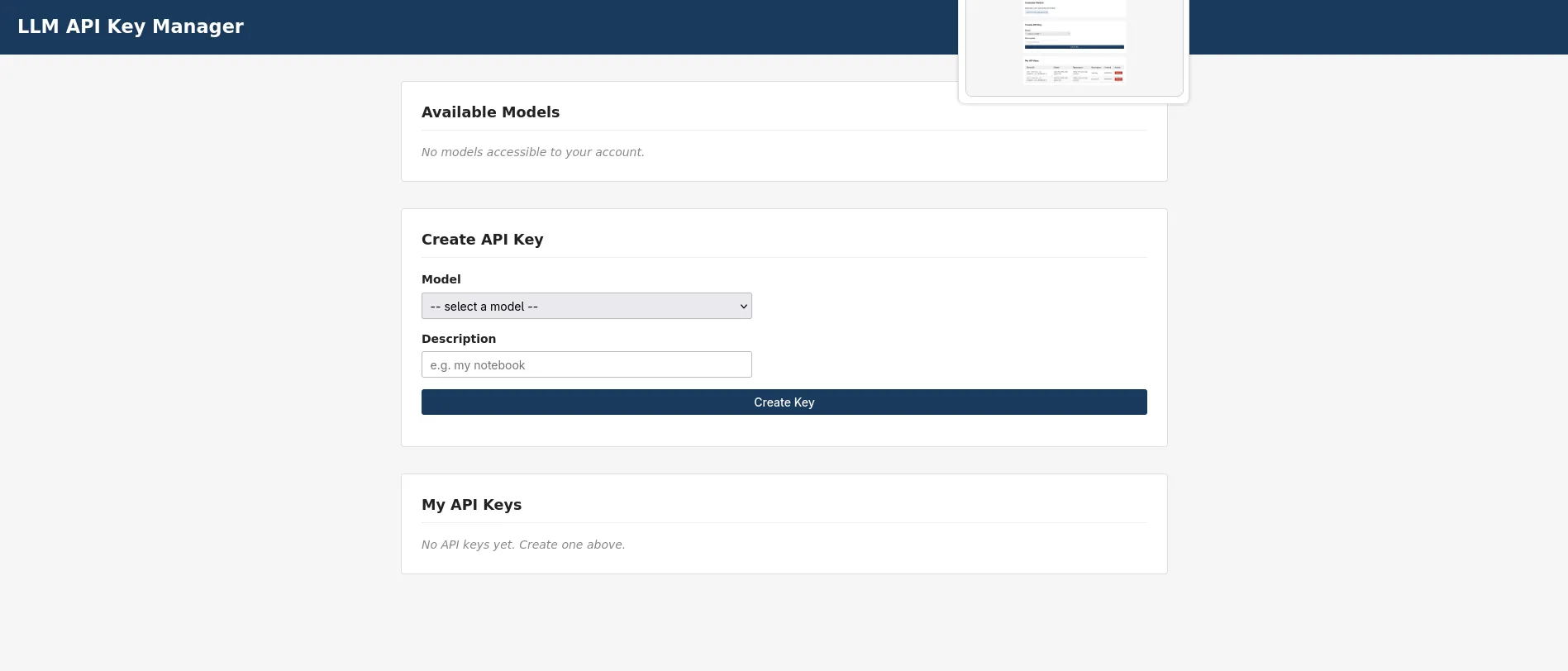
The key-manager UI is reachable at https://llm-keys.<baseDomain>/.
It is a React single-page app (served by nginx) that drives its own
Keycloak login: keycloak-js performs a PKCE redirect to Keycloak,
and the SPA then calls the key-manager API with a bearer token. Hitting
that URL in a browser at this point should send you through the
Keycloak login screen and back to a (mostly empty) key-manager page
for users in the llm group. There are no LLMModels yet; section 9
changes that.
An LLMModel is the user-facing API of the pack: one CR per model
you want served. Applying it triggers the pack operator to reconcile
the full per-model serving stack:
A Deployment running vllm against the model weights, with a
model-downloader init container that pulls the weights from
Hugging Face into a PVC at /model-cache on first start.
A Service fronting the vLLM container on port 8000.
A second Deployment + Service for the endpoint-picker pod
(EPP) that the gateway-api-inference-extension uses to route
requests across replicas.
An InferencePool referencing the EPP, plus matching labels so
the inference extension can find the vLLM pods.
Two HTTPRoute + AIGatewayRoute pairs (external + internal),
each pinned to a different listener on the shared Gateway.
Two SecurityPolicy resources, one per route: API-key auth on the
external route, JWT auth on the internal route.
The pack ships example LLMModel manifests under examples/models/ in
the pack repo. For this runbook the example is
Qwen/Qwen3.5-35B-A3B-GPTQ-Int4: a 35B-param mixture-of-experts model
quantized to 4-bit GPTQ that fits comfortably on a single L40S
(48 GB VRAM) with ~17.5 GB for weights and the rest for KV cache.
Pick a different model if your hardware demands it; sizing rules of
thumb:
24 GB GPUs (A10G / A5000):Qwen/Qwen3.5-35B-A3B-GPTQ-Int4 does
NOT fit. It is a multimodal MoE - vLLM builds a dummy vision encoder
in qwen3_vl.py during profile_run, and the int4 weights plus that
encoder consume ~21.7 GiB before any KV cache, so it OOMs
(torch.OutOfMemoryError: CUDA out of memory) on a 24 GB card. For
24 GB GPUs use a small text-only model to validate the
deploy/shard/serve path, e.g. Qwen/Qwen2.5-1.5B-Instruct (fp16, no
quantization): ~2.9 GiB weights, ~16 GiB KV cache, serves cleanly at
--max-model-len 8192. See the sizing-validation note in section 9.2.
Total model weights size + ~30% headroom must fit in GPU VRAM.
For PVC-backed storage, set spec.model.storage.size to at least
twice the on-disk weights size (Hugging Face writes incomplete
shards alongside finished ones during download).
For pvc-backed huggingface downloads on a small instance type, the
model-downloader streams weights directly into the PVC, so host
RAM is not the bottleneck. The vLLM container later reads from
/model-cache via memory-mapped I/O.
metadata.namespace MUST be nebari-llm-serving-system (the pack
operator only watches its own namespace; see #59). access.groups
must list a Keycloak group that exists in the realm. endpoints. external.subdomain becomes the public hostname:
<subdomain>.<baseDomain> is what end users hit on the external
route. Internal endpoints share a single llm-internal.<baseDomain>
hostname and route by URL path under /v1/.
Apply directly with kubectl apply -f. Per-model manifests are not
gated by sync waves and do not need to live in the cluster-config
repo; treat them as data-plane content the pack consumes.
k3s / host-managed driver (section 3.0), llm-d-cuda image: add
the two env vars below under spec.advanced.vllm.extraEnv, or the
vLLM pod crashloops with ld: cannot find -l:libcuda.so.1 -
surfacing misleadingly as Model architectures [...] failed to be inspected because Triton’s JIT import crashes during vLLM’s
model-arch inspection.
Why: with the host-managed runtime the pod gets only the utility
driver capability (enough for nvidia-smi, not libcuda.so.1);
NVIDIA_DRIVER_CAPABILITIES=all injects libcuda.so.1 - but it
lands in /usr/lib/x86_64-linux-gnu (Debian multiarch) while the
image’s Triton links it RHEL-style with -l:libcuda.so.1 -L/usr/lib64, and ld searches -L dirs, not the ldconfig cache.
LIBRARY_PATH makes gcc/ld add the multiarch dir. extraEnv on the
CR is the only durable place - a kubectl set env on the Deployment
is reverted by the operator within seconds.
You’re done when the vllm container logs Started server process and
Application startup complete, the pod goes 1/1 Ready, and the
LLMModel reports Phase: Ready with Replicas: 1.
Expected: a JSON response listing the served model with the same
name from the LLMModel spec. End users hit the external and
internal routes through the gateway, with auth enforced; section 11
walks through both user journeys.
Run this checklist top-to-bottom once sections 1-9 have all
converged. Each item is independent and can be run on its own. The
checklist verifies the install at the cluster level; section 11
verifies it at the end-user level.
Expected: every Application in the foundational + pack set is
Synced/Healthy. Anything OutOfSync or Degraded blocks the rest
of the checklist; resolve before continuing.
NIC must ship with cert-manager.maxConcurrentChallenges: 1 to keep
HTTP-01 challenges from racing on shared SANs (see
nebari-dev/nebari-infrastructure-core#267 / #259). Older NIC
versions hit a race that leaves nebari-gateway-cert stuck on
failedIssuanceAttempts; if that happens, deleting the Certificate
lets ArgoCD’s selfHeal recreate it cleanly.
Expected: each envoy-proxy pod lists at least envoy,ai-gateway-extproc
among its container names. If ai-gateway-extproc is missing, force a
proxy-pod restart (kubectl rollout restart deploy -n envoy-gateway-system <proxy-deploy>)
to give the webhook another shot.
Expected: a JSON completion with non-empty choices[].text. This
confirms vLLM has the weights loaded and is generating tokens; auth
and gateway routing are validated separately in section 11.
Expected: a public client ("publicClient": true, no client
secret) with "standardFlowEnabled": true and redirectUris covering
the SPA origin https://llm-keys.<baseDomain>/*. This is the PKCE
client the SPA logs in with; there is no /oauth2/callback redirect
because the pack no longer uses an oauth2-proxy cookie flow.
The key-manager UI uses Model B - SPA-managed Keycloak: the SPA
obtains a bearer token via PKCE and sends it on /api calls, and the
key-manager validates that JWT itself against the realm’s JWKS. There
is no gateway SecurityPolicy on the key-manager host, so there is
no gateway OIDC/cookie config to inspect. Instead, confirm the
key-manager is pointed at the right Keycloak realm and issuer:
Expected: LLM_KEYCLOAK_URL (the base URL JWKS is fetched from),
LLM_KEYCLOAK_REALM=nebari, and LLM_KEYCLOAK_ISSUER_URL set to the
public Keycloak realm URL (https://keycloak.<baseDomain>/realms/nebari)
this is the exact iss value the key-manager requires on incoming
tokens. The key-manager checks the RSA signature, exp (with 30s
leeway), and an exact iss match; audience is not checked.
In a fresh browser session (incognito works well to avoid stale
cookies), open:
https://<baseDomain>/ -> NIC landing page should render with a
tile for nebari-llm-serving-key-manager.
https://llm-keys.<baseDomain>/ -> the SPA loads and immediately
redirects to the Keycloak login screen (PKCE), then returns to the
key-manager UI for users in the llm group.
The SPA reads its Keycloak URL from the runtime /config.json served
by nginx, so login always uses the public https://keycloak.<baseDomain>
URL. If the model list is empty or /api calls return 401, re-run
check 10.9 to confirm the key-manager’s LLM_KEYCLOAK_ISSUER_URL
matches the token issuer.
If every check passes, the install is good. Section 11 walks
through the actual end-user journeys (mint a key, hit the external
endpoint, and verify that non-allowed users are denied).
Expected: HTTP 200 with a JSON body containing
choices[0].message.content. The model value in the request body
must match spec.model.name from the LLMModel CR (the full
HuggingFace model ID, e.g. Qwen/Qwen3.5-35B-A3B-GPTQ-Int4), not
the LLMModel metadata name.
Log into https://llm-keys.<baseDomain>/ as outsider@example.com.
The “Available Models” section should be empty - the outsider cannot
see any models and therefore cannot mint an API key.
If the outsider somehow obtains a key or constructs a direct API
call, the key-manager API returns HTTP 403:
Terminal window
# Via port-forward (bypasses gateway auth to test the key-manager directly):
These are issues discovered during the fresh-install validation that
require manual intervention until upstream fixes ship. Each links to
a tracking issue. Once the fix ships, the pre-step can be removed
from this runbook.
Already fixed upstream, so no longer listed here: the
nebari-gateway-cert stuck Ready=False on a fresh deploy, which
needed the Certificate deleted by hand. NIC now sets
maxConcurrentChallenges: 1 on cert-manager, which serializes the
HTTP-01 challenges that were racing on overlapping SANs
(nebari-infrastructure-core#267). Shipped in NIC v0.4.0,
well below this runbook’s v0.12.0 floor.
12.1 SecurityPolicy uses in-cluster Keycloak URLs for browser-facing endpoints (obsolete for the key-manager)
No longer applies to the key-manager. This was an issue with the
old gateway oauth2-proxy cookie flow, where an Envoy SecurityPolicy
injected browser-facing OIDC endpoints. The key-manager now uses
Model B - SPA-managed Keycloak (enforceAtGateway: false, a
public PKCE client, and in-app JWKS validation), so there is no
gateway SecurityPolicy on the key-manager host and no in-cluster
vs. public endpoint split to get wrong. The SPA reads its Keycloak
URL from /config.json and always uses the public
https://keycloak.<baseDomain> URL. Retained here only for clusters
still running other apps on the older cookie flow.
Symptom (legacy cookie flow): A UI behind the gateway oauth2-proxy
redirects the browser to
http://keycloak-keycloakx-http.keycloak.svc.cluster.local:8080/...
instead of the public https://keycloak.<baseDomain>/... URL. The
OAuth2 flow dead-ends because browsers cannot resolve in-cluster
hostnames.
Fix: Requires nebari-operator >= v0.1.0-alpha.19 (PR #111).
This version uses KEYCLOAK_EXTERNAL_URL for
authorizationEndpoint and endSessionEndpoint (the two endpoints
the browser hits) while keeping tokenEndpoint and issuer as
in-cluster URLs (back-channel only).
12.2 AI Gateway webhook certificate becomes untrusted after pod rescheduling
External connectivity is completely down (NLB target groups have zero
registered targets).
Root cause: The AI Gateway controller generates a self-signed CA
at startup and patches the MutatingWebhookConfiguration with the CA
bundle. When the controller pod is rescheduled (e.g. after a node
replacement), the new pod may generate a new CA while the webhook
config retains the old one.
# The envoy proxy pod should recover within ~30 seconds
kubectlgetdeploy-nenvoy-gateway-system-w
Note: This needs further investigation to determine whether it
is an upstream AI Gateway bug or a configuration issue. A tracking
issue will be filed once the root cause is confirmed.
The Envoy proxy is returning a 500 before the request reaches the
AI Gateway extension processor. Common cause:
extensionApis.enableEnvoyPatchPolicy or
extensionApis.enableBackend is missing from the envoy-gateway
config. Re-check section 6.
Authentication is pooled across every model’s api-keys Secret, so a 401
means the key is not present in any model’s Secret (revoked, mistyped, or
never minted).
Verify the API key Secret exists: kubectl get secret -n nebari-llm-serving-system <model>-api-keys
Verify the model field in your request body matches the
HuggingFace model ID (e.g. Qwen/Qwen3.5-35B-A3B-GPTQ-Int4),
not the LLMModel CR name
Keys authenticate anywhere on the shared listener but are authorized only
for the model they were minted for, so a 403 means the key is valid but
not on this model’s allow-list.
Verify the key was minted for the model you are calling (a key for
model A returns 403 against model B by design)
A freshly minted key can 403 until the operator re-renders the model’s
SecurityPolicy allow-list - typically seconds, within about a minute;
retry before digging deeper
Key-manager UI shows “No models available” for a user who should have access
Check kubectl describe pod <pod> for scheduling failures
Common causes: no GPU node available, PVC not bound (wrong
storageClass), insufficient CPU/memory
For single-GPU nodes: only one model can run at a time. A rolling
update will deadlock if the new pod cannot schedule alongside the
old one (the new pod stays Pending while the old pod holds the
one GPU). On the nebari pack the operator enforces
spec.serving.replicas, so scaling the Deployment to 0 (or setting
replicas: 0) is reverted within seconds. Instead, after applying
the respec, kubectl delete pod <old-pod> to free the GPU and let
the new pod schedule.
The init container downloads the model from HuggingFace on first
deploy. Large models (30GB+) can take 10-20 minutes on typical
network connections. Check the init container logs:
The AI Gateway mutating webhook only injects the sidecar when an
AIGatewayRoute exists and the webhook is healthy. If the proxy pod
was created before the AI Gateway controller was ready, delete the
proxy pod to trigger re-injection:
Seen on k3s / host-managed driver nodes (section 3.0) running the
llm-d-cuda image. The traceback often surfaces as Model architectures [...] failed to be inspected because Triton’s JIT
import crashes during vLLM’s model-arch inspection. The pod has only
the utility driver capability, and even with libcuda.so.1
injected it lands in a directory ld does not search. Fix: add
NVIDIA_DRIVER_CAPABILITIES=all and
LIBRARY_PATH=/usr/lib/x86_64-linux-gnu to
spec.advanced.vllm.extraEnv on the LLMModel - see the callout in
section 9.2.
A related symptom on the same nodes is vLLM logging Failed to infer device type: the pod was scheduled on the default runc runtime,
which exposes no GPU. Make nvidia the default containerd runtime or
ensure the pod uses runtimeClassName: nvidia (section 3.0/3.4).
ai-gateway-controller crashloops (PostRouteModify SIGSEGV) after deleting a model
ERROR controller.inference-pool failed to sync InferencePool
{"error": "ExtensionReference service <model>-epp not found ..."}
panic: runtime error: invalid memory address or nil pointer dereference
... extensionserver.(*Server).PostRouteModify ...
Deleting an LLMModel removes its vLLM and EPP Deployments/Services,
but does not garbage-collect the per-model gateway resources
(InferencePool, AIGatewayRoute, HTTPRoute) - they have no
owner-ref back to the CR. The orphaned InferencePool keeps an
ExtensionReference to the now-deleted <model>-epp Service, and the
AI Gateway controller nil-derefs on it and crashloops. Delete the
leftovers by hand, then restart the controller: